How to Create a Student Spending Tracker in 5 Minutes (That You’ll Actually Use)

Does the thought of checking your bank account balance make you break out in a cold sweat? You aren't alone. For many students, money is a source of "I'll deal with it later" stress. But here is the truth: ignoring your finances doesn’t make the numbers go away, it just makes them harder to manage.
Taking personal responsibility for your money is one of the biggest "adulting" wins you can achieve before you even graduate. It’s not about restricting your fun; it’s about knowing exactly how much fun you can actually afford.
Ready to become the CEO of your own bank account? Let’s build a tracker that actually works for your life.
Why You Need a Spending Tracker (And No, It’s Not Just About Saving)
Most financial advice for students is boring. It tells you to stop buying lattes and start eating ramen. We don’t do that here. At Learning With Angie, we believe in practical, tested advice that fits the modern student lifestyle.
- Eliminate the "Mystery Drain": Have you ever looked at your balance and wondered where that $50 went? A tracker reveals the hidden leaks in your budget.
- Reduce Financial Anxiety: Knowledge is power. When you know exactly what’s coming in and going out, the "fear of the unknown" disappears.
- Fund Your Freedom: Whether it’s a spring break trip, a new laptop, or just having peace of mind, tracking helps you allocate money toward what actually matters to you.
- Build Lifelong Habits: Mastering money management for students now sets you up for total financial independence later.

Choose Your Weapon: Analog vs. Digital
The best tracker is the one you will actually open. Don't overcomplicate this. You have three main options:
- The Digital Spreadsheet (Fastest): Use Google Sheets or Excel. It does the math for you and is accessible from your phone and laptop.
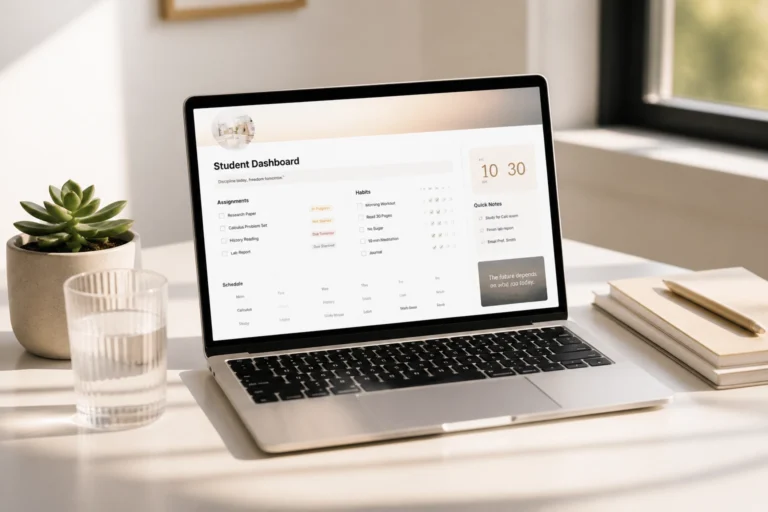
- The Notion Dashboard (Aesthetic & Organized): If you already use Notion for your studies, adding a finance page is a seamless way to keep everything in one place.
- The Paper Planner (Tactile): Some people find that physically writing down a purchase makes it feel more "real." If that’s you, use a dedicated section in your daily planner.
The 5-Minute Setup: Step-by-Step
You don't need a degree in accounting to do this. Follow these steps to get your tracker live in under five minutes.
1. Create Your Columns
Open a new sheet and create these four headers:
- Date: When did the transaction happen?
- Description: What did you buy? (e.g., "Chipotle," "Spotify," "Rent").
- Category: Was this a Need, a Want, or an Investment?
- Amount: How much did it cost?
2. List Your Income
At the top or in a separate tab, list every source of money you have. This includes your part-time job, allowance, scholarships, or that $20 your grandma sent for your birthday. Know your starting point.
3. Use the "Magic" Formula
If you are using a spreadsheet, use the =SUM() formula at the bottom of your "Amount" column. This gives you an instant total of your spending. To see what’s left, subtract your total spending from your total income.

Categorizing Like a Pro (Needs vs. Wants)
The secret to a tracker you’ll actually use is keeping categories simple. If you have 45 different categories, you’ll get overwhelmed and quit by Tuesday. Stick to these core groups to streamline your process:
- The "Must-Haves" (Fixed Costs): These are non-negotiable. Rent, phone bill, insurance, and basic groceries.
- The "Student Life" (Variable Costs): Coffee runs, dinners out, movie tickets, and shopping. This is where most of your "lifestyle" spending happens.
- The "Future You" (Savings/Investments): Even if it’s just $5 a week, putting money aside for emergencies or big goals is essential.
- The "School Essentials": Books, software subscriptions, and supplies.
Pro-Tip: If you see "Coffee" appearing 15 times a month, don't feel guilty. Just decide if those 15 coffees are more important to you than, say, a new pair of shoes at the end of the month. It's all about choice, not restriction.

The Weekly Review: 5 Minutes to Financial Peace
A tracker is useless if you don't update it. You don't need to log every cent the moment you spend it (unless you want to!). Instead, try the Weekly Review:
- Pick a Day: Sunday evenings are usually best.
- Gather the Data: Open your banking app and look at your transactions from the last 7 days.
- Input & Reflect: Spend 5 minutes typing those numbers into your tracker.
- Ask the Question: "Did my spending this week align with my goals?" If the answer is no, just adjust for next week. No judgment, just data.
This habit builds personal responsibility and ensures you are never surprised by an "insufficient funds" notification.
Enhance Your Student Workflow
Managing your money is just one piece of the puzzle. To truly excel, you need a system that handles your time and your tasks just as effectively.
If you are a high schooler or college student looking to enhance your organization, check out our Notion College Search Template. It’s designed to keep your applications, deadlines, and research in one beautiful, functional space: leaving you more time to focus on your growth (and your budget!).

Join The Community
Ready to take your student life to the next level? Don't do it alone. Join our community of motivated students and parents who are reclaiming their time, their grades, and their financial futures.
When you join, you’ll get:
- Biweekly Success Tips: Actionable advice delivered straight to your inbox.
- Exclusive Resources: First access to new planners, templates, and tools.
- A Supportive Network: Connect with others who are passionate about learning and personal growth.
Ready to become the most organized version of yourself? Explore our full range of resources here and start your journey toward student success today.
Want a head start? The Ultimate Student Planner in my shop was made for exactly this — it’ll save you a ton of time.