AI Study Secrets Revealed: Why Better Note Structure Means Better AI Results

Ever felt like your AI study assistant is… well, a little bit dense? You paste in your lecture notes, ask for a summary, and get back a wall of text that’s just as confusing as what you started with. Or worse, you ask it to generate flashcards, and it misses the most important concepts entirely.
If you’ve ever thought, "Why isn't this AI making my life easier?" the answer probably isn't the AI. It's your note structure.
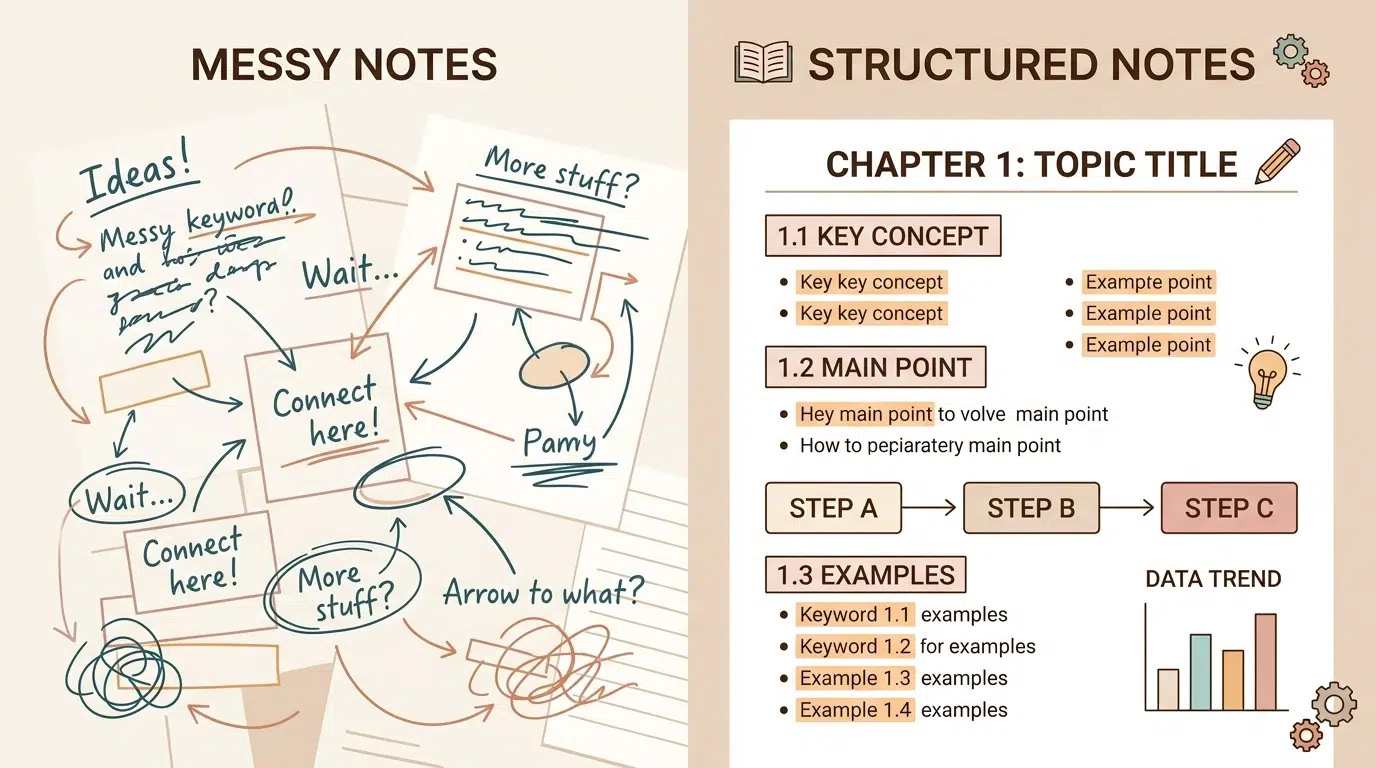
In the world of tech, there’s an old saying: Garbage In, Garbage Out (GIGO). If you feed an AI a disorganized mess of "shower thoughts" and fragmented sentences, it will give you a disorganized mess in return. But when you master the art of structured note-taking, you unlock a superpower.
Ready to transform your study game? Let's dive into why note structure is the "secret sauce" for AI success.
The Science of "Machine Readability"
AI models like ChatGPT, Claude, and Gemini are essentially high-powered pattern-recognition machines. They don't "understand" your notes the way a human does; they look for relationships between words and the hierarchy of information.
When your notes are just a flat list of sentences, the AI has to guess what’s important. When you use headers, bullet points, and clear formatting, you are providing a roadmap. This structure tells the AI: "This is the main topic, these are the supporting details, and this is the definition you need to remember."
1. Hierarchy is Your Best Friend
The biggest mistake students make is writing everything in the same font size and weight. To an AI, a bolded header is a giant signpost.
- Use H1 for the Main Topic: (e.g., # Biology 101: Photosynthesis)
- Use H2 for Sub-topics: (e.g., ## The Light-Dependent Reactions)
- Use H3 for Specific Details: (e.g., ### Role of Chlorophyll)
By nesting your information, you allow the AI to "fold" and "unfold" data logically. When you ask it to "Summarize the Light-Dependent Reactions," it knows exactly where to look without getting distracted by the rest of the page.
2. Embrace the Power of Markdown
You don't need to be a coder to use Markdown, but you should definitely start using it. Markdown is a simple way of formatting text that AI tools absolutely love.
- Bolding (
**text**) helps the AI identify key terms for flashcards. - Bullet points (
- item) signal a list of related facts. - Numbered lists (
1. item) indicate a sequence or process.
Pro-Tip: If you’re using our Notion templates, you’re already halfway there! Notion’s block-based system naturally creates the kind of clean data structure that AI can process with 99% accuracy.
3. Explicit Context vs. Implicit Assumptions
Humans are great at "reading between the lines." AI is not. If you write "It was discovered in 1928," a human knows you're talking about Penicillin because of the previous paragraph. An AI might lose that context if you just copy-paste a snippet.
To get the best results, structure your notes so each section is self-contained. Instead of "It," use the actual subject name. This small change ensures that when you ask the AI to "Create a quiz based on my notes," the questions are accurate and specific.

Why This Matters for Your Grades
Why go through all this trouble? Because structured notes don't just help the AI; they help you.
- Better Summaries: AI can generate a "TL;DR" that actually captures the nuance of the lecture.
- Instant Flashcards: You can prompt an AI: "Using only the bolded terms in my H3 sections, create 10 Anki-style flashcards."
- Personalized Quizzes: AI can look at your headers and create a practice exam that mimics the structure of your actual syllabus.
If you’re struggling to keep your semester on track, check out our Syllabus Tracking 101 guide to see how organizing your deadlines is the first step to mastering your content.
Level Up Your Setup with Notion
If your current note-taking system is a pile of loose-leaf paper or a 50-page Google Doc, it’s time for an upgrade. We’ve designed specific tools to help you build the perfect "AI-ready" study system.
Our Notion College Search Template isn't just for finding schools: it's a masterclass in organization. By using a database-driven approach, you're training your brain (and your AI) to categorize information effectively.

Ready to become a study pro?
The future of education is collaborative: between you, your tools, and AI. But the AI is only as smart as the information you give it. Stop fighting with generic outputs and start building a structured knowledge base that works for you.
Join the Community! Want more unfiltered advice on how to hack your student life? Sign up for our newsletter and get biweekly tips on productivity, life skills, and the best digital tools delivered straight to your inbox.
What’s your current note-taking style? Are you a "scribbler" or a "structurer"? Let us know in the comments below!
Want a head start? The Ultimate Student Planner in my shop was made for exactly this — it’ll save you a ton of time.