Your Quick-Start Guide to a Semester Reset: Do This in Notion First

Feeling like your semester is spinning out of control? You aren't alone. One minute you’re color-coding your syllabi in August, and the next, it’s October and you have seventeen open tabs, three overdue assignments, and a "General Studies" folder that looks like a digital landfill.
Whether you are heading into midterms or just realized your current system isn't cutting it, a semester reset is the most powerful tool in your academic arsenal. It’s not just about cleaning up files; it’s about reclaiming your mental space. And there is no better place to do this than in Notion.
Ready to become the student who actually knows what’s due next Tuesday? Let’s dive into the essential steps to reset your semester and streamline your workflow.
Clear The Mental Clutter with a "Braindump"
Before you touch a single database or move a digital sticky note, you need to get everything out of your head. We call this the Mental Braindump.
When you’re stressed, your brain uses valuable energy just trying to remember tasks instead of actually doing them. Grab a blank page in Notion and start typing. Don't worry about formatting. Just list:
- Every assignment you’re worried about.
- Club meetings you’ve missed or need to attend.
- Personal errands (laundry, grocery shopping, that birthday gift you forgot).
- Questions you need to ask your professors.
Once it’s on the screen, you’ll immediately feel the weight lift. You can explore more productivity hacks to keep this momentum going, but for now, just focus on getting it all out.
Define Your "Why" With Goal Setting
Why are you doing this? If you don't have a clear goal, you'll find yourself back in the same chaotic spot in two weeks. Take ten minutes to document what you’ve accomplished so far and what you want to achieve by the end of the term.
In your Notion reset page, create two columns:
- Wins So Far: Did you pass that brutal chem quiz? Did you finally start using a habit tracker? Write it down.
- Upcoming Objectives: Be specific. Instead of "Get better grades," try "Maintain a B+ or higher in Calculus" or "Submit every English essay 24 hours before the deadline."
Setting these personal growth goals gives your Notion setup a purpose beyond just being "pretty."

Perform a Database Cleanup: The Core Steps
Now we get to the "doing." Your Notion workspace should be a high-performance machine, not a graveyard of old ideas. If you’re using a student planner, follow these specific steps to clean up your databases:
- Archive Completed Tasks: Don't delete them! Create an "Archive" view or a checkbox property for "Done" and filter your main view so completed tasks disappear. This keeps your dashboard focused on the now.
- Update Your Syllabus Tracker: Open your syllabi again. Did a professor change a deadline? Did you miss a reading assignment? Update your master database immediately.
- Standardize Your Tags: Ensure your class tags (e.g., #Bio101, #EnglishComp) are consistent across your notes and assignments. This allows you to create powerful Relations between different databases.
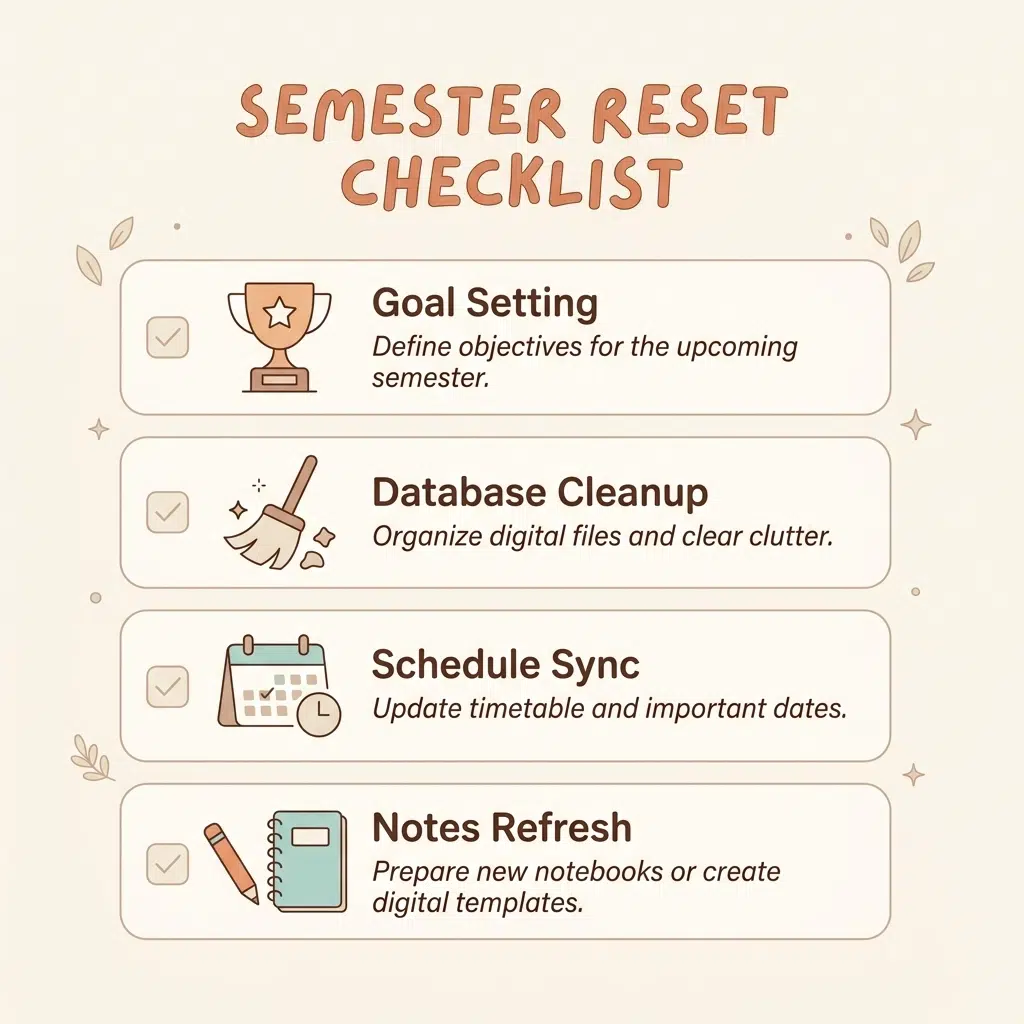
Follow This Semester Reset Checklist
Visualizing the process helps ensure you don't miss a step. Use this diagram as your roadmap for the next 60 minutes of your life.
Update Your Weekly Dashboard Routine
Your dashboard is your cockpit. If it's cluttered with irrelevant info, you're going to crash. A successful reset involves tailoring your "Daily View" to match your current needs.
Essential components for your updated dashboard:
- The "Today" Filter: Set your main task list to only show items where the "Date" is today OR the "Status" is "In Progress."
- Quick Links: Add a synced block or a simple list of links to the websites you use daily: Canvas, Blackboard, your favorite study timer, or the Learning With Angie portal.
- The "Weekly Intent" Section: Add a small callout box at the top of your page where you write one sentence every Monday morning about your main focus for the week.
By keeping these items front and center, you enhance your focus and streamline your transition from "chilling" to "studying."

Refresh Your Resource Library and Notes
Are your lecture notes a mess of unformatted text? Use this reset as an opportunity to implement a better structure. We recommend the Cornell Method or Aesthetic Note-Taking to make reviewing easier later.
How to audit your notes in Notion:
- Status Property: Add a select property to your "Notes" database with options like
To Review,Summarized, andMastered. - Topic Categories: Use multi-select tags to group notes by exam units (e.g., "Midterm 1," "Final Exam"). This will be a lifesaver when finals week rolls around.
- Embed Resources: Stop hunting for PDFs. Upload your lecture slides and reading materials directly into the Notion page for that specific lecture.
When you keep everything in order, you spend less time searching and more time learning. If you're a high school student preparing for college, these habits are the #1 thing that will set you apart from your peers.
Implement Habit Tracking for Longevity
A reset isn't just about catching up; it's about staying ahead. Add a habit tracker to your Notion workspace to monitor the non-academic things that keep you sane.
Ready to build better routines? Track these:
- Sleep: Are you getting at least 7 hours?
- Movement: Even a 15-minute walk counts.
- Review Time: Did you spend 10 minutes reviewing today's notes?
- Hydration: Your brain needs water to function!
Using a habit tracker within your Notion dashboard keeps your self-improvement goals right next to your academic ones, reminding you that you are a human being, not just a grade-producing machine.

Join The Community for More Tips
You don't have to navigate student life alone. At Learning With Angie, we believe in practical, tested advice that covers the full student experience. Whether you're looking for the best Notion templates or just need a little boost in confidence, we’ve got your back.
Ready to take the next step?
- Sign up for our biweekly email for exclusive resources and study hacks.
- Explore our shop for planners and organizers designed to make your life easier.
- Check out our study tips for college students to level up your academics.
A semester reset is your chance to start fresh. It’s an invitation to a better version of yourself: one who is organized, focused, and ready to thrive. Don't wait for "someday" to get organized. Do it today.

Want a head start? The All-in-One Student Notion Dashboard 2.0 in my shop was made for exactly this — it’ll save you a ton of time.