Do you feel like your study notes are scattered across ten different apps and three physical notebooks? Are you tired of spending more time "getting ready" to study than actually learning the material?
You deserve a workspace that works as hard as you do. By building an AI-powered study hub in Notion, you can transform your messy digital pile into a streamlined command center. This isn't just about making things look "aesthetic": though that helps: it's about creating an intelligent system that summarizes your lectures, tracks your deadlines, and generates flashcards with a single click.
Ready to become the most organized student in your class? Let’s build your study hub in under five minutes.
Why You Need an AI-Powered Hub for 2026
In 2026, academic success is no longer about how much you can memorize; it’s about how efficiently you can manage information. An AI-powered hub acts as your personal academic assistant. Instead of sifting through hours of lecture recordings, you can use built-in AI tools to pull the most essential concepts directly into your dashboard.
- Centralize everything to keep your brain focused on learning rather than searching for links.
- Automate repetitive tasks like creating study guides so you have more time for high-level thinking.
- Enhance information retention by using AI to generate active recall questions from your own notes.
Step 1: Build Your Core Database Structure
The foundation of any effective Notion workspace is the database. To keep everything in order, you only need two primary databases: Classes and Assignments.
Create Your Classes Database
Start by creating a "Gallery" or "Table" view titled "My Classes." For each class, add properties like:
- Status: To track which courses are active this semester.
- Professor: For quick access to office hours and contact info.
- Notes: A relation to your note-taking page to ensure you review your lecture materials regularly.
Set Up Your Assignments Tracker
Next, create a "Board" or "Calendar" view for your "Assignments & Tasks." This is where you will manage your workload.
- Due Date: To stay ahead of upcoming deadlines.
- Priority: Use tags like "High," "Medium," and "Low" to streamline your workflow.
- Class: Link this to your Classes database so you can see exactly what is due for Biology vs. Calculus.

Step 2: Activate Notion AI for Instant Productivity
Once your structure is in place, it’s time to turn on the "brain" of your workspace. Notion AI features are designed to help you effectively process large amounts of data without feeling overwhelmed.
Using the Notion Agent
The Notion Agent is a chat-style teammate that lives inside your hub. You can ask it to:
- "Show me everything I need for my History midterm next week." It will scan your linked notes and assignments to give you a summary.
- "Create a study plan for this Sunday." It will look at your high-priority tasks and block out time for you.
Leveraging Research Mode
When you’re starting a new paper or project, use Research Mode to generate high-level overviews of complex topics. This helps you enhance your understanding before you even dive into the heavy textbooks.
Step 3: From Raw Notes to Study Guides in Seconds
The biggest time-waster for students is manual formatting. Your AI study hub eliminates this. When you finish a lecture, don’t just close your laptop. Take 60 seconds to let the AI work.
- Summarize Lectures: Highlight your messy, bulleted notes and select "Summarize." Notion will provide a concise paragraph of the main points.
- Extract Action Items: Tell the AI to "Find action items." It will automatically pull out things like "Read Chapter 4" or "Email TA about lab results" and turn them into checkboxes.
- Generate Flashcards: Ask the AI to "Create 5 practice questions based on these notes." This is the most effective way to prepare for exams using active recall.
For more deep-dives on how to organize your semester, check out our guide on Smart Organization Tips for Students.
Step 4: Integrate Visual Productivity Tools
A study hub is only as good as the habits you build around it. To maintain focus, you should integrate proven productivity methods into your Notion workflow.
The Pomodoro Technique
Don't just stare at your screen for four hours. Use a Pomodoro timer to break your work into 25-minute sprints. This keeps your energy high and prevents burnout.

Collaborative Study
If you’re working on a group project, Notion makes it easy to share specific pages. You can assign tasks to your classmates within your Assignments database, ensuring everyone knows their role. Collaborative learning is one of the most essential skills you can develop in high school and college.

Essential Habits to Maintain Your Hub
Setting up the hub is the first step, but consistency is what leads to better grades. Follow this simple routine to keep your system running smoothly:
- Morning Check-in: Open your "School Hub" every morning. Look at your "This Week" calendar view to see what’s coming up.
- Quick Capture: During the day, use a "Quick Notes" section to brain-dump thoughts or tasks.
- Weekly Reset: Every Sunday, use the AI to clear out finished tasks and summarize the past week’s notes. This ensures you never start Monday feeling behind.
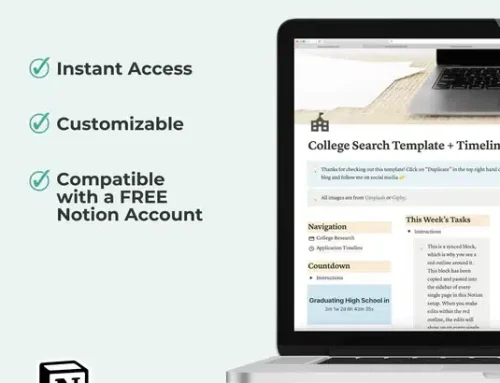
If you want a head start, you can browse our collection of student Notion templates that are already pre-configured with these features.
Ready to Streamline Your Study Routine?
You have the tools, and now you have the plan. Don't let another semester slip by in a blur of disorganized PDFs and forgotten deadlines. By spending just five minutes today to set up your AI-powered study hub, you are investing in a more confident, focused version of yourself.
Join The Community today to receive biweekly tips on student success, life skills, and productivity hacks. Whether you are a high schooler prepping for college or a parent looking to support your student, we are here to help you navigate the journey with ease.
[SKIP THE SETUP] Grab the AI Study Workflow Starter Kit ($11)
Why spend hours building databases? Get the exact Notion layout described in this post, plus our exclusive "AI Prompt Cheat Sheet" for summarizing lectures and generating flashcards in seconds.
[Get Organized Instantly]
Let’s get to work.
Want a head start? The All-in-One Student Notion Dashboard 2.0 in my shop was made for exactly this — it’ll save you a ton of time.