How to Create Your All-In-One College Life Hub in 5 Minutes
Are you tired of having seventeen different tabs open just to figure out when your next psych assignment is due? Does your "organization system" consist of three different notebooks, a stack of loose sticky notes, and a prayer?
College life is a beautiful, chaotic whirlwind of lectures, social events, and personal growth. But without a central command center, it’s easy to feel like you’re constantly playing catch-up. Ready to become the most organized version of yourself? You don’t need a complex, hour-long tutorial to get there. You just need five minutes and a better system.
Why You Need a Centralized Life Hub
When everything lives in one place, your brain doesn't have to work as hard to keep track of the "where." Instead, you can focus on the "what" and the "how." A digital life hub acts as your external brain, storing your syllabi, habit trackers, and personal goals so you don’t have to.
By using notion templates for college, you can:
- Eliminate decision fatigue by knowing exactly where to look for information.
- Reduce stress by seeing all your deadlines in a single, clear timeline.
- Enhance focus by keeping your personal life and academic responsibilities in one window.
- Streamline your workflow with integrated student productivity hacks that actually work.
How to Build Your Hub in Just 5 Minutes
Setting up a dashboard shouldn't be a project in itself. The goal is to spend less time organizing and more time doing. Here is your high-impact, five-minute setup guide to get your digital life in order.
Minute 1: Choose Your Foundation
Don’t start from scratch. Starting with a blank page is the fastest way to get overwhelmed. Instead, use a pre-built structure. Notion offers a variety of free student templates, but for a truly high-performance setup, you’ll want something tailored to the full student experience. Browse our collection of notion templates for college to find a layout that fits your aesthetic and needs.
Minutes 2-3: Connect Your Core Academic Resources
This is where the magic happens. Open your most important syllabi and input your "high-stakes" dates: exams, final papers, and major projects.
- Link your Google Drive or OneDrive folders directly into your dashboard.
- Upload digital copies of your syllabi so you never have to hunt for them on your school’s slow portal again.
- Create a "Current Courses" view that highlights only the classes you're taking this semester to keep things minimalist and clean.
Minute 4: Integrate Your Personal Growth Tools
You aren't just a student; you're a human being. Your hub should reflect that. Add a simple Habit Tracker or a Daily Reflection section.
- Track your hydration, sleep, or study hours to see real-time progress.
- List three daily goals to ensure you’re moving toward your larger aspirations, not just surviving the week.
Minute 5: Final Polish and Aesthetic Check
A hub you love looking at is a hub you’ll actually use. Choose a calming cover image, add a few meaningful emojis, and ensure your "Daily Dashboard" view is the first thing you see when you open the app.
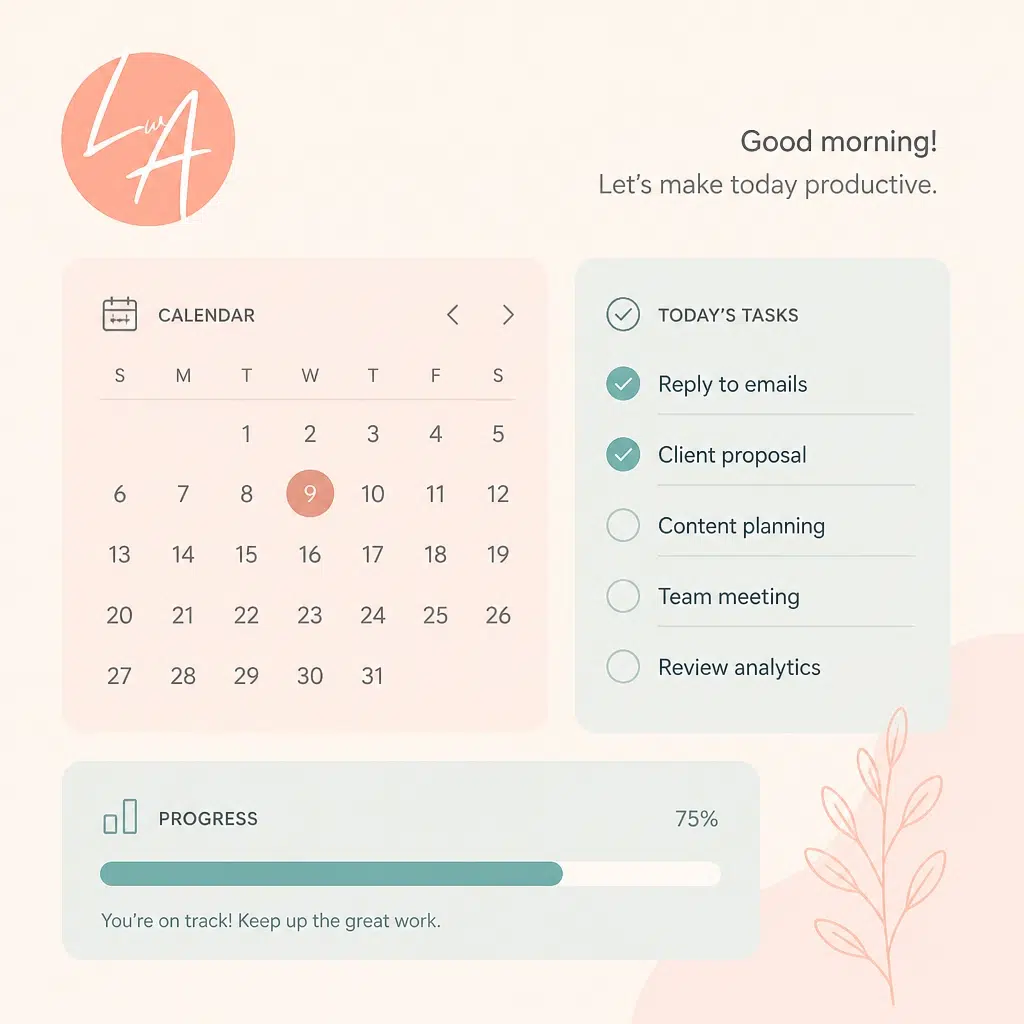
Essential Elements for Your College Life Hub
To make your hub truly effective, it needs to balance simplicity with functionality. Avoid the trap of "over-organizing": if a section doesn't help you take action, it doesn't belong in your hub.
Here are the essential components you should include:
- Master Assignment Database: A central list of every task from every class. Use "filters" to view only what's due this week.
- Weekly Focus Hub: A minimalist space where you plan your top priorities.
- Resource Library: A place to store digital textbooks, useful website links, and "How-To" guides for your major.
- Financial Tracker: A simple way to manage your student budget and keep track of those recurring subscriptions.
- Personal Growth Sandbox: A dedicated area for your hobbies, book lists, and confidence-building exercises.

Student Productivity Hacks to Level Up Your Workflow
Once your hub is built, you can start layering in advanced student productivity hacks to maximize your output. These small tweaks make a massive difference in how you manage your energy throughout the semester.
- The "One-Click Rule": Ensure your most-used pages (like your current assignment list) are accessible with just one click from your main dashboard.
- Time Blocking Integration: Don't just list your tasks: block out time for them. Use your hub to visualize when you'll actually do the work.
- Pomodoro Cycles: Use a timer to break your study sessions into 25-minute sprints. This prevents burnout and keeps your brain sharp.
- The Sunday Reset: Use your hub every Sunday evening to audit the week ahead. Review your deadlines, plan your meals, and set your intentions.

Introducing the Student Success Notion Dashboard
If five minutes still feels like too long, we’ve done the heavy lifting for you. Our Student Success Notion Dashboard is designed specifically for students who want a professional, aesthetic, and fully functional system without the setup headache.
This isn't just a "planner." It’s an ecosystem that supports your academic excellence and your personal well-being. It includes pre-configured databases for your coursework, a streamlined habit tracker, and a dedicated space for life skills education like financial literacy.
Want the fastest way to put this 5-minute tutorial into action?
- Start with the Student Success Notion Dashboard to get an all-in-one system that’s ready to use.
- Grab the $9 Aesthetic Hub Starter Pack if you want the easiest way to implement this setup without overthinking the design, layout, or structure.
- Use both together to streamline your semester, keep everything in order, and build a hub you’ll actually open every day.
Ready to streamline your life? Check out our Notion resources to get your hands on the templates we use to stay productive and balanced every single day.
Maintenance: Keeping Your Hub Fresh
A digital hub is a living document. It should evolve as you do. Every few weeks, take a moment to:
- Archive finished projects to keep your dashboard clutter-free.
- Update your goals as your interests shift.
- Refresh your visuals with new cover photos to keep the space feeling inspiring.
Minimalism is the key to longevity. If you find yourself ignoring a certain page or tracker, delete it. Your hub should serve you, not the other way around.

Join The Community
Organization is a journey, and you don’t have to walk it alone. We’re passionate about helping you navigate the complexities of student life with ease and confidence. From study tips to financial literacy, we provide the actionable tools you need to succeed.
Join the Learning With Angie community by signing up for our biweekly resources. You'll receive practical advice, exclusive templates, and a regular dose of motivation delivered straight to your inbox. Let's make this semester your most effective one yet.
Explore our Productivity Resources here!
Want a head start? The All-in-One Student Notion Dashboard 2.0 in my shop was made for exactly this — it’ll save you a ton of time.